
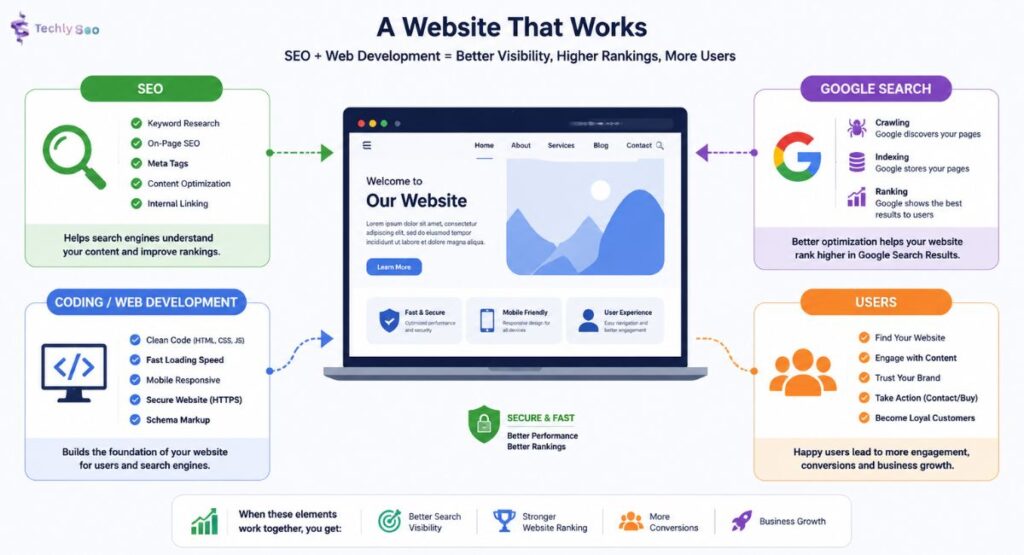
SEO and Web Development shape how people find, use, and trust your website. A pretty site may catch the eye, yet it won’t help much if Google Search can’t read it, users leave fast, or pages load like they’re stuck in traffic.
For USA businesses, this matters even more. Competition is tough. Your website needs strong Search Engine Optimization, clean Web Development, clear content, and smooth User Experience. When these elements work together, they improve your Search Visibility, strengthen your Website Ranking, and drive more meaningful Conversion.
What Is SEO in Web Development?
SEO and Web Development means building a website that works well for both users and search engines. Developers shape the Website Code, HTML, CSS, layout, speed, and security. SEO guides Keyword Placement, Meta Tags, Heading Tags, and content so each page has a clear purpose.
Think of your website like a store in a busy USA city. Website Development builds the shop. Organic SEO puts the sign outside. Good Website Structure helps customers find each aisle. Without that mix, even beautiful Web Pages can stay hidden in the Search Results.
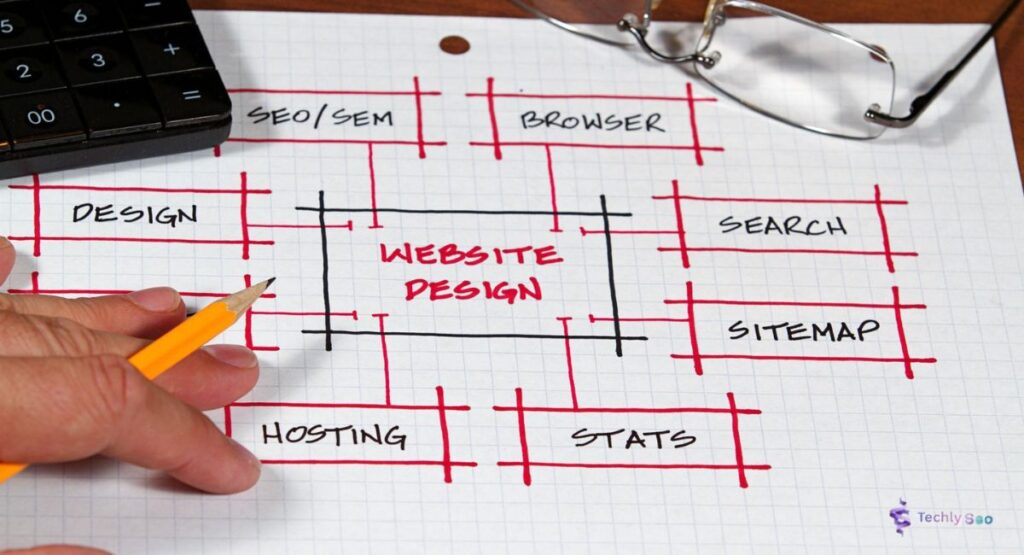
Why SEO Is Important During Website Development
SEO should start before design and coding begin. When teams add it later, they often fix broken URLs, weak Meta Descriptions, slow pages, duplicate content, and poor Navigation. That costs extra time. It also delays Search Engine Ranking, Web Traffic, and Lead Generation.
During development, SEO helps developers build better foundations. Clean Site Architecture, helpful Content Quality, and smart Internal Optimization help Google understand your website. Google’s own SEO Starter Guide says basic SEO can make a noticeable impact on how users find and explore your content.
How Web Development and SEO Work Together
SEO and Web Development work like an engine and fuel. Developers create fast pages, strong security, mobile layouts, and stable systems. SEO brings Target Keywords, Search Intent, On-Page SEO, and Content Strategy into the build so users and search engines both understand the site.
For example, a law firm in Texas may want more calls from Local Customers. Developers create service pages, contact forms, and a fast mobile design. SEO adds location-focused content, Local SEO, NAP, Address, Phone Number, and internal links that support Local Search.
How Google Search Works for Websites
Google Search works through Crawling, Indexing, and Ranking. First, Google discovers pages by following links and reading Site Maps. Then it stores useful pages in its index. After that, it ranks pages based on relevance, quality, usability, and many other signals.
This process is not magic. It’s more like a librarian sorting books. If your pages have clear titles, helpful answers, clean code, and strong links, Google can understand them faster. That can improve Search Rankings, Organic Traffic, and long-term Website Ranking.
| Google Search Step | What It Means | Why It Matters |
| Crawling | Google discovers your pages | Hidden pages may never rank |
| Indexing | Google stores your pages | Non-indexed pages don’t appear |
| Ranking | Google orders pages in results | Better pages can earn more traffic |
The Role of Website Structure in SEO
A strong Website Structure helps users and search engines move through your site without confusion. Your homepage should connect to key service pages, blog content, location pages, and contact pages. Clear Navigation improves Website Visitors flow and supports better Visitor Engagement.
Good structure also supports Internal Optimization. If a USA roofing company links from a blog about storm damage to its emergency repair page, users get a useful next step. Google also sees the relationship between the two pages. That helps Search Visibility and Website Promotion.
Technical SEO Elements Every Developer Should Know
Technical SEO helps a website stay readable, crawlable, and trusted. Developers should understand Robots.txt, XML Sitemap, canonical tags, redirects, HTTPS, schema markup, page status codes, and mobile rendering. These elements guide search engines before content even gets judged.
A tiny technical mistake can block a big page from Google Search. For example, one wrong rule in Robots.txt can stop Crawling. A missing XML Sitemap can slow discovery. Google’s documentation explains how site owners can control discovery, parsing, and indexing.
| Element | SEO Purpose |
| Robots.txt | Controls crawler access |
| XML Sitemap | Helps search engines find important URLs |
| Meta Description | Supports better snippets and Clickable Titles |
| Canonical Tag | Helps manage duplicate URLs |
| Structured Data | Can support rich Search Results |
Mobile-Friendly and Responsive Web Design
A Responsive Website adjusts to phones, tablets, laptops, and desktops. This matters because people in the USA often search while driving to a store, comparing services, or reading reviews on mobile. If buttons feel tiny or forms break, users leave. Simple as that.
MDN Web Docs defines responsive design as an approach that helps pages render well on different screen sizes while keeping good usability. Strong User Interface, flexible Website Layout, and mobile-first Page Optimization protect both users and rankings.
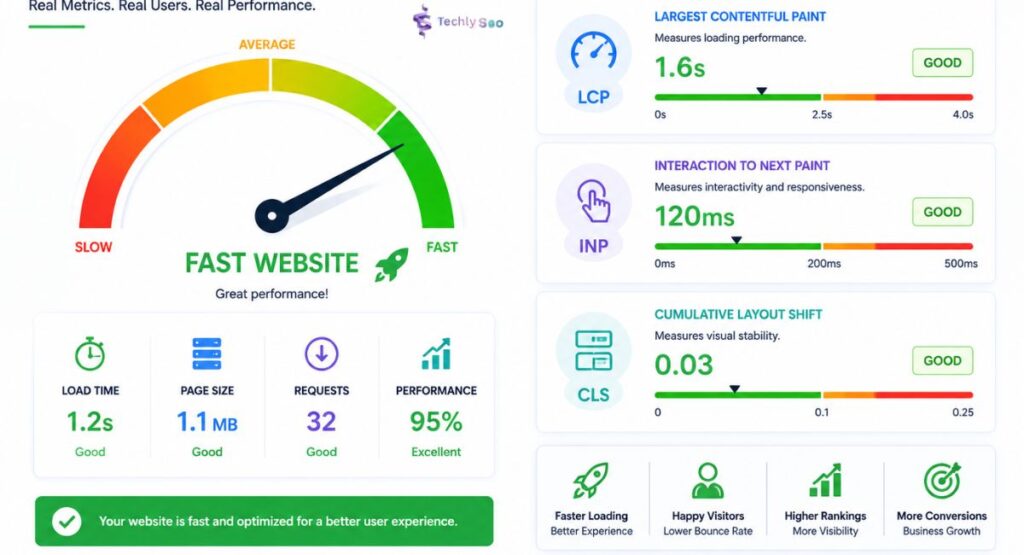
Website Speed and Core Web Vitals
Website Speed affects trust fast. If a page drags, visitors may bounce before reading your offer. Strong Site Performance supports better User behaviour, smoother shopping, and higher Conversion. It also helps users who browse from slower networks or older devices.
Google’s Core Web Vitals measure real-world user experience, including loading speed, responsiveness, and visual stability. These signals connect Website Performance with search quality because users want fast pages that don’t jump around while they read.
| Core Web Vital | Easy Meaning | User Impact |
| Largest Contentful Paint | Main content loads fast | Users see value sooner |
| Interaction to Next Paint | Page responds quickly | Users don’t feel stuck |
| Cumulative Layout Shift | Layout stays stable | Users don’t misclick |
User Experience: How UX Impacts SEO Rankings
User Experience affects how people feel on your website. A page with clear text, smart spacing, helpful links, and readable fonts feels easy. A messy page feels like a crowded room. Strong Content Readability, clear Navigation, and useful calls to action keep users moving.
SEO brings people to the door. UX invites them in. When Website Visitors stay longer, explore more pages, and take action, your site sends stronger quality signals. While Google doesn’t share every detail of its Search Algorithms, helpful pages usually win because they satisfy people.
SEO-Friendly URL Structure and Internal Linking
Clean URLs help both people and search engines. A URL like /seo-and-web-development/ feels clear. A messy URL like /page?id=729&cat=4 says nothing. Strong URLs improve Search Visibility, support Keyword Optimization, and make sharing easier.
Internal links act like road signs. They connect blog posts, service pages, guides, and contact pages. Smart External Links also help when they point to trusted resources. Together, internal links and relevant sources improve context, guide the Customer Journey, and support better Website Optimization.
Image and Video Optimization for Better Search Visibility
Images can help readers understand an idea faster. However, huge image files can slow your site. Use descriptive file names, compressed formats, and clear Alt Tags. Also use proper Alt Attributes so assistive tools and search engines can understand the image.
Videos can improve Visitor Engagement when they answer real questions. Add captions, transcripts, useful thumbnails, and short introductions. A video should support High-Quality Content, not distract from it. Google also provides guidance for images and videos in its Search Central documentation.
Content Optimization: Making Your Website Useful and Search-Friendly
SEO Content works when it answers a real question better than competing pages. Start with Keyword Research, study Competitor Analysis, and match Search Intent. Then write in a clear way. Good content avoids Plagiarism, uses natural keywords, and gives readers practical help.
Strong content also needs structure. Use clear Heading Tags, useful Meta Descriptions, strong introductions, examples, tables, and updated facts. Good Readability matters because people don’t want a textbook. They want quick answers, honest guidance, and enough depth to make a smart choice.
| Content Area | What to Improve |
| Target Keywords | Use natural terms that match intent |
| Content Quality | Add depth, examples, and clear answers |
| Readability | Keep sentences simple and smooth |
| Content Performance | Track traffic, clicks, and conversions |
Common SEO Mistakes Developers Should Avoid
Many SEO problems start with small development choices. A site may use weak title tags, missing Meta Tags, broken links, slow scripts, thin pages, duplicate URLs, or poor mobile layouts. These issues hurt Website Performance, Search Rankings, and trust.
Developers should test pages before launch and after every major update. That includes checking indexability, redirects, structured data, page speed, and analytics. Good Performance Monitoring, regular Website Maintenance, and clean development habits prevent problems before they grow teeth.
Best Practices for Integrating SEO Into the Development Process
SEO and Web Development should begin together during planning. Before design, teams should map keywords, content, URLs, navigation, page templates, and conversion paths. This creates a clear SEO Strategy instead of a last-minute checklist.
A smart workflow includes research, wireframes, clean code, content planning, testing, launch checks, and Web Analytics review. Tools like Google Search Console and Google Analytics help track Traffic Analysis, ranking changes, and user actions after launch.
Why Businesses Should Choose Integrated Web Development and SEO Services
SEO and Web Development services work best when one strategy guides both. A designer may care about appearance. A developer may care about code. An SEO expert may care about Search Queries and rankings. When they work together, your site can look good, load fast, and bring customers.
This is useful for a Local Business, eCommerce store, medical clinic, law firm, real estate agency, or SaaS company. Integrated teams can improve Brand Awareness, Online Presence, Digital Marketing, Referral Traffic, Backlinks, Brand Mentions, Link Building, and Business Growth.
| Business Goal | How SEO and Development Help |
| More calls | Better local pages, forms, and NAP details |
| More leads | Faster pages and stronger calls to action |
| More trust | Better design, content, and reviews |
| More traffic | Stronger Organic SEO and content planning |
Conclusion: Building Websites That Rank and Convert
SEO and Web Development are not separate jobs anymore. They belong together. Development builds the foundation. SEO guides visibility. Content builds trust. UX keeps people engaged. When these parts work as one, your website can earn better Search Results and stronger long-term growth.
Before spending more on Paid Advertising, check your website first. Review speed, mobile design, technical setup, content, links, and analytics. Social Media Marketing, Email Marketing, Blogging, and Off-Page SEO work better when your website is ready to rank, help, and convert.
FAQs
What is SEO in web development?
SEO in web development is the practice of building websites that are easily crawlable, fast, user-friendly, and optimized for search engines.
How does web development affect SEO?
Web development affects SEO by influencing site speed, mobile responsiveness, code quality, crawlability, and overall user experience.
Is technical SEO part of web development?
Yes, technical SEO is a key part of web development because it focuses on website structure, performance, indexing, and accessibility.
Which programming language is best for SEO?
No programming language is inherently best for SEO, but clean, well-optimized HTML, CSS, JavaScript, and efficient server-side code all contribute to better SEO.
Does website speed improve Google rankings?
Yes, faster websites can improve Google rankings because page speed is a confirmed ranking factor and enhances user experience.
What are Core Web Vitals?
Core Web Vitals are Google’s performance metrics that measure loading speed, responsiveness, and visual stability of web pages.
Can I do SEO after developing a website?
Yes, you can implement SEO after development, but incorporating SEO during development is more efficient and effective.
What tools should developers use for SEO?
Developers should use tools like Google Search Console, Google PageSpeed Insights, Lighthouse, and Chrome DevTools for SEO optimization.